A Developer's Guide to RPA Robotic Process Automation
Let’s get one thing straight: Robotic Process Automation (RPA) isn’t about physical robots clanking around an office. It’s about building, deploying, and managing a workforce of software robots—or ‘bots’—that mimic how humans get work done on a computer.
Think of them as digital employees. They can log in to apps, move files, copy-paste data, and fill out forms, all by interacting with the user interface just like a person would. They just do it with perfect accuracy and at lightning speed.
What Is Robotic Process Automation

Forget the textbook definitions for a minute.
Imagine you have a digital assistant who can take over the most mind-numbing parts of your job. This assistant uses a virtual keyboard and mouse to handle all the high-volume, repetitive tasks that clog up your team's day. That, in a nutshell, is rpa robotic process automation.
These aren't physical machines. They're smart software scripts running on a PC or server, programmed to follow a set of instructions to the letter.
The Developer Perspective on RPA
For developers, it helps to think of RPA as a supercharged form of UI scripting. You know how you’d normally use an API to get two systems talking? Well, RPA is what you turn to when there is no API—a common headache with legacy systems.
The bot simply works with the graphical user interface (GUI) directly. This is what makes it so useful for stitching together disconnected applications without having to build a complex, brittle backend integration. Instead of writing code to talk to an endpoint, you just teach the bot to click the buttons a human would.
So, what makes a task a good candidate for automation? Look for a few key traits:
- Rule-Based: The workflow is driven by clear if-then logic. No human judgment calls needed.
- Repetitive: It’s a task someone has to do over and over, whether it's daily, weekly, or triggered by an event.
- High-Volume: The sheer number of times the task is performed means automation will deliver a huge time-saving payoff.
- Structured Data Input: The process kicks off with predictable digital data, like info from a spreadsheet, database, or a standard form.
By taking these tasks off our plates, RPA lets skilled people—including us developers—get back to the creative, strategic work that actually requires a human brain. It's not about replacing people; it's about augmenting them by handing off the truly robotic work to actual bots.
The RPA Technical Architecture Under the Hood
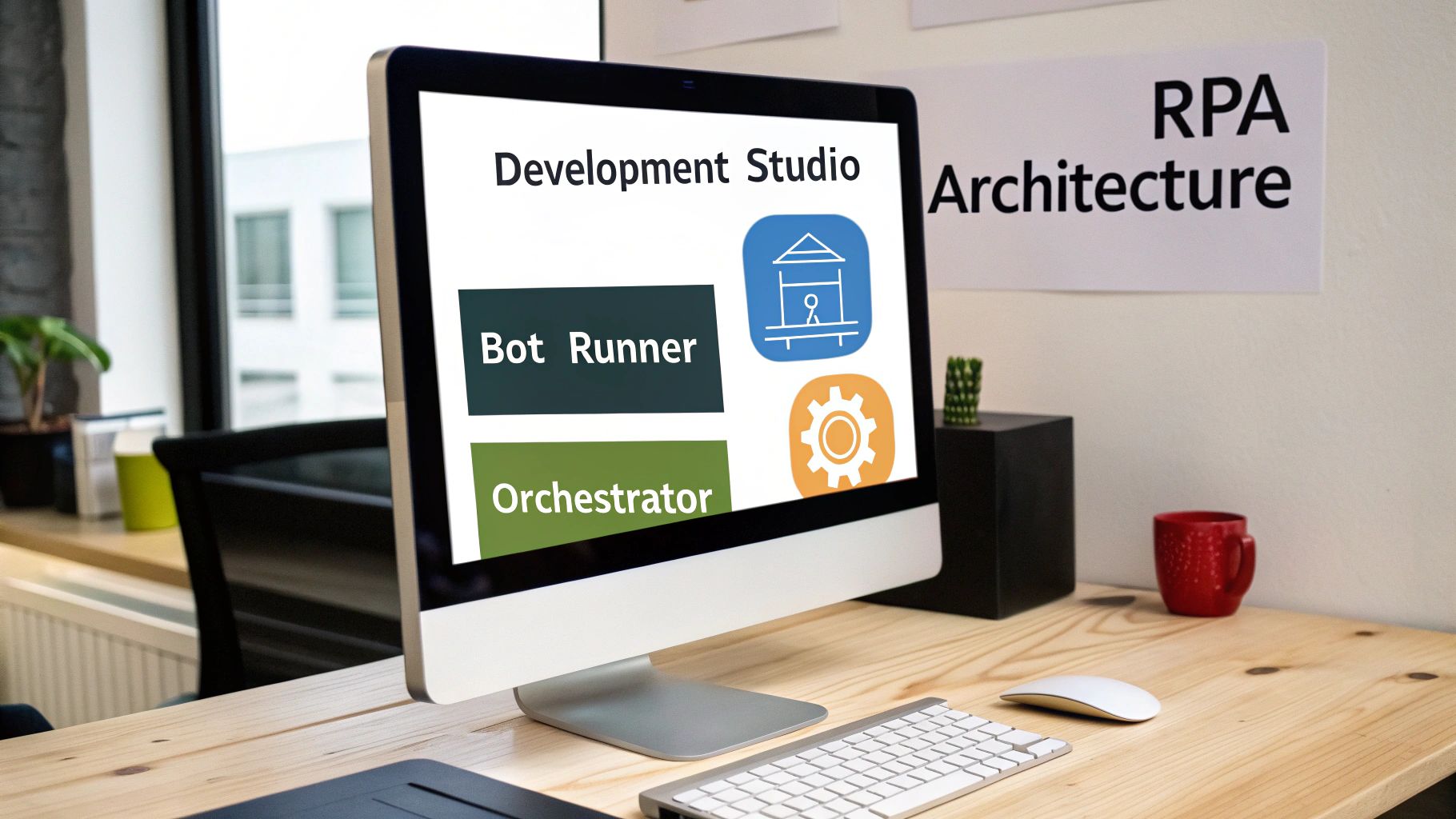
To build a real bot workforce, you need more than just a single script. A proper rpa robotic process automation solution is a full-blown platform. For any developer diving in, getting your head around its architecture is the key to building automations that are robust and can actually scale.
Think of it like a modern software development pipeline. You have a place to build, a place to run, and a place to manage everything. Most enterprise RPA platforms are built on three core pillars that handle these distinct jobs, allowing organisations to effectively manage hundreds or even thousands of bots.
The RPA Development Studio
First up is the RPA Development Studio. This is your IDE, but for bots. Forget writing endless lines of procedural code. Most of the time, you're working in a visual, drag-and-drop interface to map out the automation workflow.
The studio gives you the tools to record what a user does, define the business rules, and hook into all the different application elements on screen. It’s where you design the bot's 'DNA' – every click, keystroke, and decision gets mapped out here before being turned into a script the bot can follow.
The Bot Runner
Once you’ve designed a bot, it needs a place to live and do its job. That’s the role of the Bot Runner. The Runner is a lightweight agent that gets installed on a machine—either a user's desktop for an "attended" bot or a virtual machine for an "unattended" one.
This component is the digital worker itself. It takes the script from the Studio and executes it in the live environment. This is where the actual 'work' of rpa robotic process automation gets done. Depending on the workload, a single machine might host one or many Bot Runners.
The real magic of an RPA setup isn’t just having bots that can run scripts. It’s the ability to orchestrate a whole fleet of them. That's where the third and most critical piece comes in, acting as the brain of the entire operation.
The Control Centre and Orchestrator
The final piece of the puzzle is the Control Centre, usually called the Orchestrator. If the Studio is your IDE and the Runner is your runtime, the Orchestrator is your command and control hub. If you’ve worked with containers, you can think of it as a Kubernetes-style control plane, but for automation workflows instead of containers.
From a central dashboard, the Orchestrator is responsible for all the heavy lifting:
- Scheduling: Kicking off bots at specific times or in response to triggers, like a new email arriving.
- Management: Pushing out automation scripts to the right Bot Runners and keeping track of different versions.
- Monitoring: Giving you a complete view of what every bot is doing, logging their actions, and providing analytics on how much time and money you’re saving.
- Queueing: Managing work queues so multiple bots can tackle a massive backlog of tasks together without stepping on each other's toes.
This centralised control is what makes RPA a serious enterprise tool. Without an Orchestrator, you’d just have a bunch of disconnected scripts. With one, you have an organised, auditable, and intelligent digital workforce.
Putting RPA to Work in the Real World

The theory is great, but seeing rpa robotic process automation solve actual business problems is where it gets interesting. These software bots are brilliant at bridging gaps between systems, especially when APIs don't exist or would be a nightmare to build. They act like a digital workforce, taking on the monotonous, rule-based tasks that humans hate—and they do it perfectly every time.
For developers and team leads, the trick is spotting the right opportunities. The best candidates for automation are always the high-volume, error-prone processes that follow a strict, predictable script. Let's look at a few places where RPA really shines.
Automating User Provisioning and Deprovisioning
Onboarding a new employee is a classic example. It’s often a long checklist of boring IT tasks. An admin has to create accounts in a dozen different systems—HR software, project management tools, internal databases—and most of them don’t talk to each other. It’s slow, and one typo can lock a new hire out of critical tools on their first day.
An RPA bot completely changes the game here.
When a new employee gets added to the main HR system, a bot can be triggered to automatically:
- Log into every single application using its own set of credentials.
- Fill out the new user forms using details pulled directly from the HR system or a spreadsheet.
- Assign the right permissions based on their role and department.
- Fire off a confirmation email once all accounts are up and running.
The same logic works in reverse for deprovisioning, making sure access is revoked instantly when someone leaves. This doesn't just cut out delays; it massively tightens up your security. For a deeper dive into streamlining these kinds of tasks, check out our guide on the modern IT service desk.
Accelerating Data Migration and System Integration
Moving data from an old legacy system to a shiny new cloud app can be a developer’s worst headache. This is especially true if the old system has no API or a decent export function. The usual approach involves writing costly custom scripts or, even worse, soul-crushing manual data entry.
A software bot can be programmed to open the legacy application, navigate to the correct screen, copy data field by field, and then paste it into the new system's interface. It essentially performs a screen-scraping and data-entry task at a scale no human team could match, ensuring 100% accuracy along the way.
This use of rpa robotic process automation is becoming incredibly common, especially in markets going through a major digital shift. In the Nordics, for example, Denmark is right at the heart of this trend. While Europe’s RPA market is on track to hit US$1,823.50 million by 2030, Denmark’s growth rate is a massive 34.9%—way ahead of the European average.
This explosion is partly driven by organisations using RPA for compliance and efficiency. A great example is the Central Denmark Region, where bots were already handling 85,000 tasks a year.
RPA Use Cases Before and After Automation
To make this even clearer, let's look at a few before-and-after snapshots of common business tasks. It really highlights how a simple bot can fundamentally change a workflow.
| Business Function | Manual Task (Before RPA) | Automated Process (With RPA) | Primary Benefit | | :--- | :--- | :--- | :--- | | Finance & Accounting | Manually copying invoice data from PDFs into an ERP system. | Bot extracts data from invoices, validates it against purchase orders, and enters it into the ERP. | Reduced errors and faster payment cycles. | | Human Resources | HR team manually processes employee expense reports, checking receipts and policy compliance. | Bot scans expense reports, cross-references receipts, flags policy violations, and approves valid claims. | Faster reimbursements and improved compliance. | | IT & Operations | Manually resetting user passwords and unlocking accounts after a helpdesk ticket is raised. | Bot monitors the ticketing system, performs the password reset in Active Directory, and notifies the user. | 24/7 support and immediate resolution for common issues. | | Customer Service | Agents manually look up customer information across three different systems to answer a single query. | Bot aggregates customer data from multiple systems onto a single screen when a call or chat comes in. | Lower call handling times and a better customer experience. |
As you can see, the impact isn't just about saving time. It’s about creating more reliable, secure, and efficient processes that free up your team to focus on work that actually requires a human brain.
Weighing the Benefits and Limitations of RPA
To make smart decisions about rpa robotic process automation, engineering leaders need a balanced view. While the technology is powerful, it's not a magic wand. Understanding both its strengths and its weaknesses is key to getting it right and avoiding common pitfalls.
The upsides are compelling and can deliver real business value, fast. In fact, the most significant benefits are often immediately obvious, which makes a strong case for investment.
The Powerful Benefits of RPA
When you point RPA at the right processes, the improvements can be remarkable. The primary advantages that most organisations see are:
- Significant Cost Reductions: This one's simple. By automating high-volume, repetitive tasks, you cut down on the hours of manual work needed. Bots can run 24/7 without a coffee break, which directly lowers your operational expenses.
- Near-Perfect Accuracy: Humans make mistakes, especially with boring, repetitive work. It’s inevitable. Software bots, on the other hand, are programmed to follow the rules flawlessly. This gets rid of costly errors in things like data entry, invoice processing, and report generation.
- Massive Gains in Productivity: Bots execute tasks at a speed humans just can’t match. A process that takes an employee several minutes can be finished by a bot in seconds. This frees up your team to focus on higher-value work that actually requires a brain.
- Stronger Compliance and Auditing: Every single action a bot takes is logged and recorded. This creates a detailed, tamper-proof audit trail, which is invaluable for regulatory compliance and making sure processes stick to internal standards. Learn more about how automation aligns with regulations in our guide to data processing agreements.
The rapid adoption of RPA in efficiency-focused markets like Denmark really highlights these benefits. The Danish RPA market is set for explosive growth, with a projected CAGR of 34.9% between 2026 and 2033. This is driven by businesses desperate to manage huge data volumes and repetitive work more effectively. You can explore more about Denmark's automation market expansion on prsync.com.
Understanding the Limitations
However, developers need to be realistic about the technology's limitations. Bots are powerful, but they can also be brittle.
A common challenge with RPA is its reliance on stable user interfaces. If a button's location or an application's layout changes, a bot programmed to interact with the old UI will break. It just stops working, requiring someone to jump in and reprogram it.
Other key limitations to watch out for include:
- Difficulty with Unstructured Data: Standard RPA bots love structured inputs like spreadsheets. They struggle, however, with unstructured data like the text from an email or a PDF invoice unless you integrate some AI to help them make sense of it.
- Risk of Technical Debt: Automating a broken or inefficient process doesn't fix it; it just makes the bad process run faster. This can mask underlying issues and create a heap of technical debt that’s much harder to untangle later on.
Evolving RPA with AI for Intelligent Automation

Standard rpa robotic process automation is a workhorse for tasks that follow strict rules, but it has a hard limit. A bot only ever does exactly what you tell it. The moment a process changes or it encounters messy, real-world data, it hits a wall.
This is where AI and Machine Learning come in, upgrading basic automation into what we call Intelligent Automation (IA).
Think of a standard RPA bot as a pair of digital hands that can perfectly follow a recipe. When you add AI, you're giving those hands a brain. A brain that can think, learn, and adapt on the fly. This duo can finally tackle tasks that need a bit of judgement, moving way beyond simple, repetitive clicks.
Giving Bots a Brain
The real magic happens when you give bots the ability to understand human input. We do this by layering cognitive tech on top of the RPA foundation. These technologies are like the senses for your digital workforce, letting them process information that was previously off-limits.
A few key pieces of tech make this happen:
- Natural Language Processing (NLP): This lets bots read and understand human language. An NLP-powered bot can scan a support email, figure out the user's intent and tone, and pull out key details like names or order numbers.
- Optical Character Recognition (OCR): With smart OCR, a bot can "read" text from scanned documents, PDFs, and even images. It can lift invoice details from a photo or pull customer data from a signed contract, turning a messy image into clean, structured data.
It's a powerful combination. The AI acts as the 'brain,' analysing complex information and making a decision. The RPA bot then acts as the 'hands,' executing that decision across all your different apps and systems.
Intelligent Automation in Action
Let’s make this real. Imagine a complex customer support email lands in your inbox.
An AI model instantly uses NLP to read the message, identifying it as an urgent complaint about a billing error. The AI pulls out the customer's account number and the disputed amount.
Instead of just flagging it for a human, the AI triggers an rpa robotic process automation bot. The bot logs into the billing system, checks the transaction history against the complaint, and confirms the mistake. Following its rules, the bot issues a refund, updates the customer's record in the CRM, and drafts an email explaining what happened.
This entire workflow is done in seconds. No human intervention needed.
Best Practices for a Successful RPA Rollout
Getting an rpa robotic process automation programme off the ground takes more than just slick code. You need a strategic playbook. If you just start automating random tasks willy-nilly, you’ll end up with a messy collection of fragile scripts, not a resilient digital workforce. A structured approach is the only way to sidestep the common pitfalls and build something that actually scales.
The first move is always to pick the right targets. Forget the temptation to automate some massive, tangled workflow on day one. It’s a recipe for disaster. Instead, start with the “quick wins”—those high-impact, low-complexity tasks. Think repetitive, rule-based processes that deliver obvious and immediate value. Nailing these first helps build momentum and gets stakeholders excited for what’s next.
Establish Strong Governance Early
To avoid descending into chaos, you need a Centre of Excellence (CoE) to set standards and govern your automation work from the get-go. A CoE creates consistency, oversees best practices, and manages the pipeline of what to automate next. It’s mission control for your entire RPA initiative, keeping everything high-quality and strategically aligned.
It also helps to think of your bots as reusable components, not just one-off scripts. When you design them with modularity in mind, you’re creating a library of automation "microservices" that can be plugged into different workflows. This massively speeds up future development and makes maintenance a whole lot simpler.
Building robust error handling and comprehensive logging into every bot from the very beginning is non-negotiable. A bot that fails silently is a liability; a bot that logs its errors and alerts the team is a reliable asset.
Foster Collaboration and Plan for Scale
A great rollout is a team sport. Make sure your business and IT folks are on the same page right from the start, defining requirements and managing expectations together. This kind of collaboration stops scope creep in its tracks and ensures the final automation actually solves a real-world business need. For a deeper dive on managing those expectations, check out our developer's guide to service level agreements.
This strategic approach is especially critical in growing markets like Denmark, where the SME sector is really driving RPA adoption. The global market is projected to hit USD 28.6 billion by 2031, and a big part of that is the accessibility of cloud-based solutions. For Danish SMEs, affordable, scalable RPA is a game-changer, making powerful automation for tasks like invoice processing and customer support accessible to everyone. You can get more details on the expanding RPA market and its drivers on mordorintelligence.com.
Common Questions About RPA Answered
When developers and tech leaders start digging into RPA (Robotic Process Automation), a few key questions always pop up. Let's cut through the noise and tackle them head-on, so you can see exactly where this tech fits.
Is RPA the Same Thing as AI?
Nope, but they're an incredible team.
Think of it this way: RPA is the hands, and AI is the brain. RPA is brilliant at following a strict set of rules you give it—it automates the 'doing'. AI, on the other hand, is about simulating human intelligence to make decisions and interpret messy data—it automates the 'thinking'.
They often join forces in what's called Intelligent Automation. For example, an AI model could read an unstructured email to figure out what a customer needs, then kick off an RPA bot to execute the required clicks and data entries across three different apps.
Will RPA Make Developers Obsolete?
Not a chance. This is a huge misconception. RPA is a tool for developers, not a replacement. While many platforms have low-code interfaces for simple tasks, building robust, scalable, and secure automation programmes takes real development skills.
Developers are absolutely essential for:
- Integrating RPA bots with your existing systems and APIs.
- Building out complex, custom automation logic that goes beyond simple screen-scraping.
- Managing the entire automation lifecycle—think version control, testing, and deployment.
- Making sure bots are secure and can handle errors without falling over.
RPA takes the mind-numbing UI-based tasks off your plate, freeing you up to solve bigger architectural challenges.
How Do You Securely Manage Bot Credentials?
This is a big one. Hardcoding passwords into scripts is a security nightmare waiting to happen, so just don't do it. The industry standard is to use a centralised, encrypted credential vault.
These vaults act like a digital safe for usernames and passwords. The RPA platform's Control Centre pings the vault to get the credentials it needs on-demand, just moments before a bot needs to log in. This means secrets are never exposed in scripts, logs, or on the bot's machine, giving you a clean, auditable chain of access.
What Is the Difference Between Attended and Unattended Bots?
This really gets down to the two main ways you can deploy bots.
Attended bots are like a sidekick for a human user, running right on their desktop. They're triggered on-demand to act as a real-time digital assistant. For instance, a customer service agent could click a button, and an attended bot would instantly pull up customer data from five different systems and pop it on their screen.
Unattended bots, on the other hand, are the workhorses. They run 24/7 on servers or virtual machines in the background, with zero human interaction. They’re scheduled to run massive batch processes, like generating end-of-day reports or handling overnight data migrations. This is your true digital workforce.
Prepared with Outrank app