Kill the Seat Tax: A Developer's Guide to Business Process Management (BPM)
Let’s cut through the jargon. For a developer, Business Process Management (BPM) isn't about corporate flowcharts. It's about treating your internal workflows like code—you analyze, refactor, and optimize them for performance. It's the engineering discipline of turning chaotic, manual tasks into streamlined, automated infrastructure that works for you, not against you.
Moving Beyond Manual Mayhem
In a SaaS team, every minute an engineer spends on a repetitive, manual task is a minute not spent building the product. Think about that. That's real, tangible cost. BPM gives you a framework to win that time back by treating operational chaos like an engineering problem. You find the bug, design a fix, deploy the code, and monitor the results.
Customer support is a classic example. Without a process, every user ticket is a fire drill. An engineer gets yanked out of a sprint to troubleshoot a simple login issue. Context switching kills their flow, and the user is left waiting. This reactive mess is a huge drag on productivity. BPM is how you step back and design a better system.
The Developer-First Way: Infrastructure, Not Bloatware
For engineering teams, good BPM isn't about buying some clunky, seat-based helpdesk that forces you into its rigid, bloated portal. That’s the old way. The modern approach is to build lean, automated workflows directly into your own stack. This completely flips the traditional model on its head.
Instead of paying a "Seat Tax" for every single person who needs to see a support ticket, you focus on the infrastructure. You use APIs and SDKs—like EchoSDK—to build a custom UI and processes that perfectly match how your team works. You can automate triage, escalate tough issues straight to a Slack channel, and track everything without ever leaving your dev environment.
# Get started with headless BPM in 5 minutes
npm install @echosdk/react
This empowers developers to solve business problems with the tools they already live in. It’s about building, not just buying.
Why Seat-Based Pricing Kills Margins
| Aspect | Traditional Support (Zendesk, Intercom) | BPM-Driven Model (EchoSDK) | | :--- | :--- | :--- | | First Response | Manual ticket assignment, high latency. | Instant AI answers via Headless RAG Pipeline. | | Engineer Involvement | Pulled from core tasks for repetitive questions. | Engaged only for complex, escalated issues. | | Context | Agent asks user for basic info (URL, User ID, etc.). | Context (URL, user data, browser) is captured automatically. | | Cost Model | Seat Tax – Pay $99/mo per user account. | Usage-based – Pay $0.001 per query (99% savings). | | Scalability | Poor. More users mean hiring more people. | High. Automation handles volume without linear cost growth. |
The contrast is stark. One model creates friction and drains resources, while the other builds efficiency and lets your team focus on what matters.
The Core Goals of Developer-Led BPM
When an engineering team embraces BPM, it's not just an academic exercise. The results directly hit the product and the bottom line. The main goals are simple and powerful:
- Kill the Bottlenecks: Find where work gets stuck—whether it's a code review queue or a support ticket black hole—and automate a solution to keep things flowing.
- Slash Manual Errors: Robots don't have bad days. Automating repetitive tasks eliminates human error, giving you more reliable deployments and happier users.
- Free Up Your Engineers: This is the big one. Automate the mundane so your most expensive people can focus on high-value work: building features and making the product better.
- Build to Scale: A manual support process that works for 100 users will catch fire with 10,000. A well-designed, automated process just works.
The BPM Lifecycle for Engineering Teams
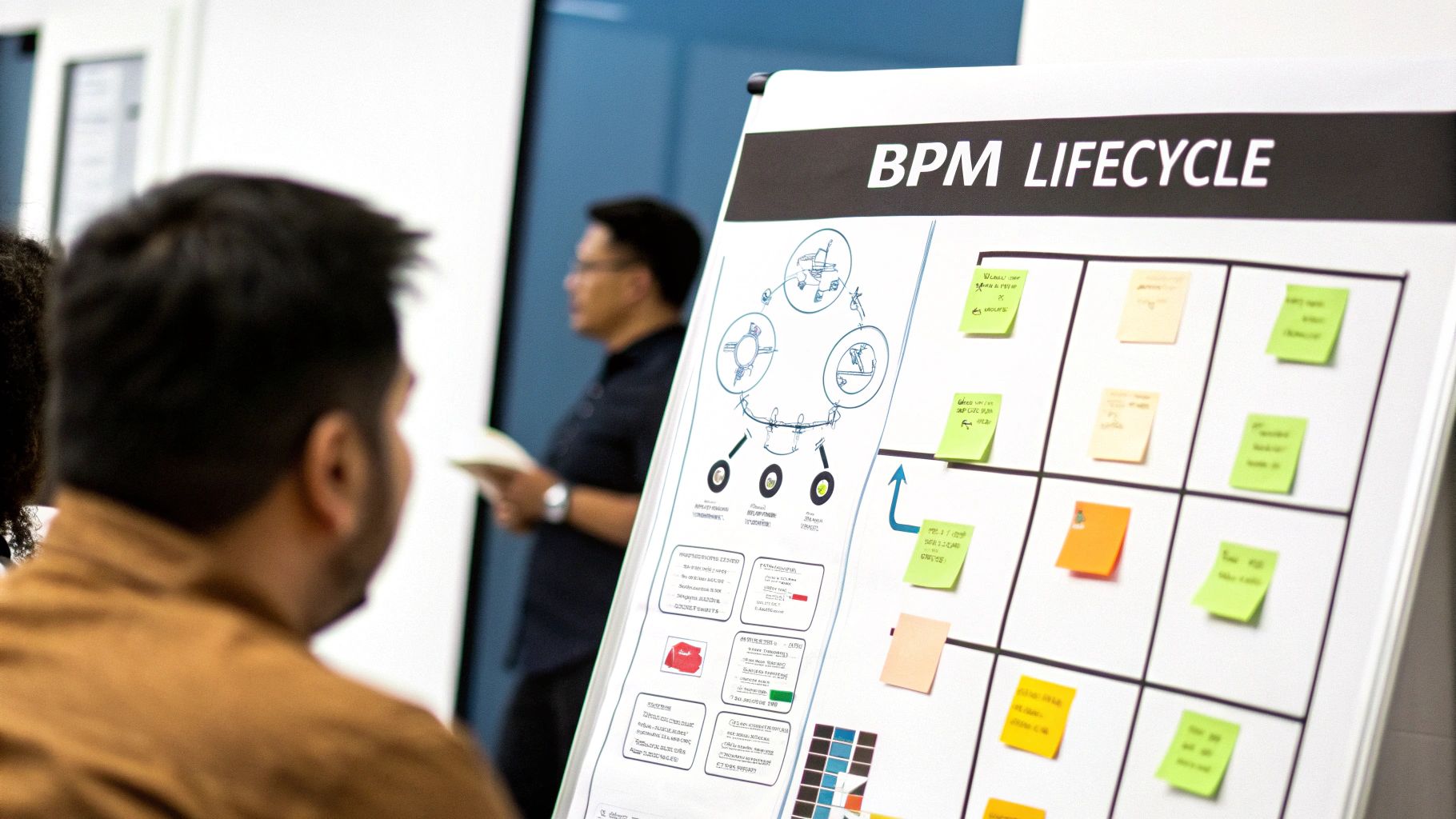
For an engineering team, "Business Process Management" can sound a bit stuffy and corporate. Forget the rigid frameworks. Think of it more like an agile loop, a continuous improvement cycle you’d apply to your codebase, but for your workflows.
It's a practical way to turn abstract ideas about "better support" into tangible, code-driven actions. The cycle breaks down into five key stages: Design, Model, Execute, Monitor, and Optimise. Let’s see what that actually means when you're building a smarter support flow.
Design: Architecting the Flow
The Design phase is your blueprinting stage. It’s where you stop just reacting to tickets and start architecting the ideal support experience. You step back and ask the hard questions. Where do our users get stuck? What are the biggest time-sinks for our engineers?
This isn't about vague goals. It's about defining the logic before you write a single line of code.
For instance, you might decide that any query containing the word "billing" should automatically get a link to the self-service portal first. Or maybe a ticket with "API error" should immediately prompt the user for their ID and a code snippet. That's process design.
Model: Visualising the Logic
With a design sketched out, the Model phase is all about making it visual. This doesn’t have to mean creating complex BPMN diagrams. For a developer, a simple flowchart on a whiteboard, a sequence diagram, or even some pseudocode does the trick.
The point is to create a shared map of how the process should work. This model becomes the single source of truth for what you’re about to build, getting everyone on the same page.
The Model phase answers the question, "How should this work in a perfect world?" It’s the critical bridge between a high-level idea and the technical implementation.
Execute: Bringing the Process to Life
This is where the rubber meets the road. The Execute phase is pure implementation. For a modern team, this isn't about buying a monolithic, seat-based helpdesk. It’s about integrating lean, headless infrastructure right into your own codebase.
Using a developer-first tool like EchoSDK, this step becomes incredibly straightforward. You can spin up a powerful, AI-driven support component with a quick NPM install and just 3 lines of code.
# 5-minute setup
npm install @echosdk/react
Suddenly, your designed and modelled process is live. You’ve connected your knowledge base to a Headless RAG Pipeline, powered by Vector Search and Gemini 1.5 Flash. Execution becomes a clean part of your sprint, not a massive procurement project.
Monitor: Tracking Performance with Real Data
Once your process is live, you enter the Monitor phase. This is where you swap guesswork for hard data. You start tracking the key metrics that tell you if your new system is actually working for your users and your team.
Key metrics to keep an eye on include:
- Automated Resolution Rate: What percentage of queries are solved by AI without needing a human?
- Time to First Response: How fast are users getting a real answer?
- Escalation Rate: How often do issues still need a human handoff to an engineer?
- Common Unanswered Questions: Where are the gaps in our AI and documentation?
This data-driven view gives you the concrete evidence you need to make smart decisions in the final stage.
Optimise: Closing the Continuous Improvement Loop
Finally, the Optimise phase closes the loop. This is the "refactoring" stage for your workflow. Using the analytics you've gathered, you pinpoint exactly where to make improvements.
Is the automated resolution rate low? Maybe it’s time to tune your Headless RAG Pipeline or beef up the docs on a specific feature. Are escalations for one API endpoint sky-high? You might need to adjust the logic for human handoffs to Slack or add better in-app guidance.
Business process management (BPM) isn't a one-and-done project. It's a constant cycle of refinement that makes your entire system smarter, faster, and more efficient over time.
How BPM Slashes Costs and Boosts Productivity
Good business process management (BPM) draws a straight line between smart workflows and real business results. When you automate repetitive support tasks, you free up your developers to do what they're paid to do: build and improve your actual product. This isn't just a minor operational tweak; it's a direct investment in productivity.
Think about it. Every time an engineer gets pulled out of deep work to answer a common support ticket, the cost is massive. It's not just their time; the context-switching penalty can completely derail a sprint. A solid BPM strategy stops these interruptions cold, creating a far more stable and productive engineering environment.
The True Cost of the Seat Tax
Most traditional support tools are built on a per-seat pricing model, which we call the "Seat Tax." You're forced to pay a monthly fee for every single person who might need to log in to the helpdesk—even the developer who only logs in once a quarter. This model just doesn't scale and actively punishes you for growing.
As your team gets bigger, your software bill skyrockets, but your efficiency doesn't necessarily follow. You end up paying for a bunch of idle accounts, which is just a huge, pointless drain on your budget.
Investing in efficient BPM isn't an operational expense; it’s a direct investment in profitability, scalability, and technical excellence. It’s about building an asset, not just paying a bill.
This is where you need a fundamental shift in tooling. Moving from a seat-based model to a usage-based one can lead to dramatic savings. Instead of paying for potential access, you pay only for the work that gets done—like the number of queries actually processed. For many teams, this change alone can cut costs by up to 99%.
Quantifying the Productivity Gains
The upside of solid BPM goes way beyond just saving money on software. When you clean up your workflows, you get a powerful compounding effect on your team's efficiency and the quality of their work.
- Reduced Manual Errors: Automated processes don't get tired, make typos, or forget a crucial step. This means more reliable outcomes and far less time wasted on fixing simple mistakes.
- Accelerated Issue Resolution: By automating triage and giving instant answers to common questions, BPM cuts down the time-to-resolution for customers in a big way.
- Enhanced Developer Focus: Protecting your engineering team's time is everything. Automating the support noise shields them from constant distractions, letting them focus on high-value feature development.
You can see the impact of this kind of efficiency on a national scale. For example, Denmark's labour productivity is at 140% of the EU average, with a steady 1.4% annual growth that's largely driven by optimising workflows. This productivity advantage is exactly what you see when an AI-powered Headless RAG pipeline with Gemini 1.5 Flash automates support queries for a tiny fraction of traditional costs. You can find more on this in our developer's guide to robotic process automation.
Choosing Your BPM Toolkit: Headless vs Monolithic
When you're picking a Business Process Management (BPM) tool, you're at a crossroads. Do you choose infrastructure, or do you get saddled with bloatware? This isn't just a technical decision; it dictates whether you build a lean, integrated system that grows with your product or get locked into a rigid, pricey platform that tells you how to work. The whole debate comes down to two very different philosophies: monolithic vs. headless.
Monolithic platforms, like Zendesk, give you the whole shebang in one box. You get a pre-built portal, ticket management, and analytics all bundled together. It sounds convenient, but that convenience comes with heavy trade-offs. You lose control over the user experience, forcing your customers into a third-party interface that feels tacked on, not part of your actual product.
Even worse, these platforms are built on the dreaded "Seat Tax" model. You pay for every single user, which financially punishes you for growing your team and encouraging collaboration. For developers, it means either being locked out of a business-critical system or making the company pay for an account you might only touch once a month.
Embracing a Developer-First Philosophy
The alternative is a headless, developer-first approach. Instead of buying a restrictive, one-size-fits-all portal, you use an SDK to bake BPM logic right into your codebase. This is infrastructure, not bloatware. It puts you, the developer, right back in the driver's seat, controlling everything from the custom UI to the workflow logic underneath.
With a headless solution, the developer experience (DX) is everything. The whole point is to make powerful process automation as simple as installing a library.
A headless architecture gives you the ultimate freedom to build a support experience that is truly native to your application. It’s the difference between sending users to an external help page and solving their problems right where they are.
This philosophy is picking up serious steam. In Denmark, for instance, the Business Process as a Service (BPaaS) market is on track to hit US$537.31 million by 2025. This growth signals a major shift towards flexible, cloud-based solutions that let companies manage operations without massive upfront investments—a model that fits perfectly with embedding AI-driven support to cut down on overhead. You can dig into this market trend over on Statista.
The Power of Direct Codebase Integration
A headless BPM toolkit lives where you do: in your code. With a tool like EchoSDK, the setup is designed to be fast and painless for developers. You can get going with a simple NPM install that takes all of five minutes.
This deep integration unlocks some powerful possibilities:
- Contextual Support: Automatically pass user data, session information, and application state to the support component. This gives the AI or human agent instant context without having to play 20 questions with the user.
- Custom UI: Build the support interface you want, not the one a vendor forces on you. This is a massive advantage when you're looking for a Zendesk alternative or an Intercom alternative.
- Lightweight Footprint: Avoid loading heavy, third-party scripts that slow your application to a crawl. An SDK is built to be lean and performant.
For any development team that's serious about business process management (BPM), the decision should be clear. By choosing infrastructure over bloatware, you're not just picking a tool. You're adopting a philosophy of ownership, efficiency, and a superior experience for both your developers and your customers.
Integrating BPM into Your Support Workflow
Okay, let's get practical. Theory is great, but it's time to translate those BPM principles into a real, automated support workflow that actually works. We're going to build an AI-first support system that lives right inside your product—no more clunky, separate help portals.
The goal here is a big one: shift from reacting to problems to proactively solving them before a human ever has to get involved. This means designing a smart flow that handles user questions the moment they start typing.
Step 1: Build Your AI Foundation with a Headless RAG Pipeline
First things first, you need to give your AI a brain. This is done by hooking up your knowledge base—all your docs, tutorials, and FAQs—into a Headless Retrieval-Augmented Generation (RAG) Pipeline. A tool like EchoSDK can plug directly into these data sources, using Vector Search to instantly find the most relevant snippet of information for any user query.
What this does is turn your static documentation into a live, conversational resource. Backed by a powerful model like Gemini 1.5 Flash, the system can pull information from multiple documents to craft a single, accurate, context-aware answer on the spot. This becomes your frontline defense against all those repetitive questions.
Step 2: Configure Automated Responses and Triage
Once the RAG pipeline is humming, you set up the first layer of automated defense. The whole point is to resolve as many tickets as possible without needing a person, which frees up your engineering team to work on the hard stuff.
This automated triage process is refreshingly simple:
- Initial Query: A user types a question into the in-app support component.
- AI Response: The Headless RAG pipeline instantly generates an answer from your docs.
- User Feedback: The user is asked if the answer helped. If yes, the ticket is closed automatically. Done.
This simple loop can deflect a huge chunk of your support volume. It's a massive, immediate win for business process management (BPM) efficiency.
Step 3: Establish Intelligent Routing for Human Handoffs
Look, AI can't solve everything. The next crucial move is to design a smart escalation path for when it can't. When the AI gets stumped or the user just wants a person, the system needs to route that conversation to the right human—seamlessly.
Instead of just dumping tickets into a generic support queue, you build logic-based routing. For example:
- Queries with the words "billing API" get piped straight to the fintech squad's Slack channel.
- Issues where the user seems really frustrated get escalated to a senior support engineer.
The key is to deliver the full context—user ID, conversation history, and relevant logs—directly to the human agent. This eliminates the back-and-forth and enables a fast, effective resolution without making the user repeat themselves.
This approach does more than just solve tickets; it sparks internal innovation. Data shows that business process innovations are a major driver of competitiveness for SMEs. Regions in Denmark like Hovedstaden are leading the charge, showing how adopting agile BPM tools can turn a support department from a cost centre into an innovation hub. You can find more on this SME innovation over at Nordregio's site.
Step 4: Ensure Security and Maintain Full UX Control
As you weave these processes together, security and user experience can't be an afterthought. A headless architecture gives you total control over the UI, so you can make the support component look and feel exactly like the rest of your product. It’s a native, uninterrupted experience for your users.
On the back end, enterprise-grade security is non-negotiable. You'll want to look for solutions with SOC 2 compliance and solid data protection measures. This gives you the confidence to automate workflows knowing your user data is completely secure. Follow this playbook, and you can launch a sophisticated, automated support process that aligns with core BPM principles, all with minimal overhead and maximum developer freedom.
Common Questions About Business Process Management
When you’re an engineer, the term “business process management” can sound like corporate jargon. You just want to build things and solve problems, not get bogged down in flowcharts. But what if BPM was less about bureaucracy and more about reclaiming your time?
Let’s cut through the theory and tackle the real-world questions developers have when they first bump into BPM.
Isn't This Just a Fancy Name for Automation?
It’s a fair question. You’ve probably written scripts to automate tasks before. But there's a key difference.
- Task Automation is about one specific action. Think of a script that automatically closes support tickets after 14 days of inactivity. It’s a single, isolated fix.
- BPM looks at the whole journey. It’s not just about closing the ticket; it’s about how that ticket gets created, triaged by an AI, escalated to the right person, resolved, and used to update the docs. It connects all the individual automations into one smart system.
It's the difference between automating a single database backup (task automation) and designing the entire disaster recovery plan (BPM).
How Do You Actually Measure the ROI?
You can’t improve what you don’t measure. Gut feelings won’t convince your CFO. Luckily, the return on a solid BPM setup is easy to track, especially in support.
The real ROI of BPM for a developer isn't just about saving the company money. It's about buying back your own time and focus. Every support ticket an AI handles is a direct deposit into your product development budget.
Here’s what to focus on:
- Developer Time Reclaimed: This is your holy grail. How many hours a week are your engineers saving by not answering the same five questions over and over?
- Cost Reduction vs. Seat Tax: Compare the usage-based, $0.001 per query cost of a headless tool like EchoSDK against the fixed "Seat Tax" of legacy platforms. The 99% savings are easy to prove.
- Automated Resolution Rate: What percentage of issues are being solved without a human ever touching them? As this number goes up, you know your system is working.
What's the First Step for a Small Team?
Don't boil the ocean. You don't need a six-month strategy session or a complex framework to get started.
For a small, fast-moving team, the best approach is to pick your single biggest time-sink and crush it. For most of us, that's customer support.
The quickest win is to integrate a headless, developer-first support system. A simple npm install can embed an AI-powered assistant directly into your app. This instantly automates your front-line support, giving you a tangible result and proving the value of BPM without getting lost in theory. Ready to get started? View Live Demo.